
Bid
Review customer offers on projects where bidding is enabled.

Interaction type
Bid interactions appear when a customer submits an offer for a project with bidding enabled.
The bid record helps the team review price, status, conditions, customer identity, expiration, and expected delivery details where configured.
Bidding should only be enabled when your team is ready for a public offer flow. It changes how customers interact with a project and how the team reviews follow-up.
Enable Bidding on a Project
Open the sale project, go to project settings, and enable Bidding. Use the bidding status to decide whether customers can currently place bids. When bidding is active, Sparki can show the bid action and public bid log for that project.
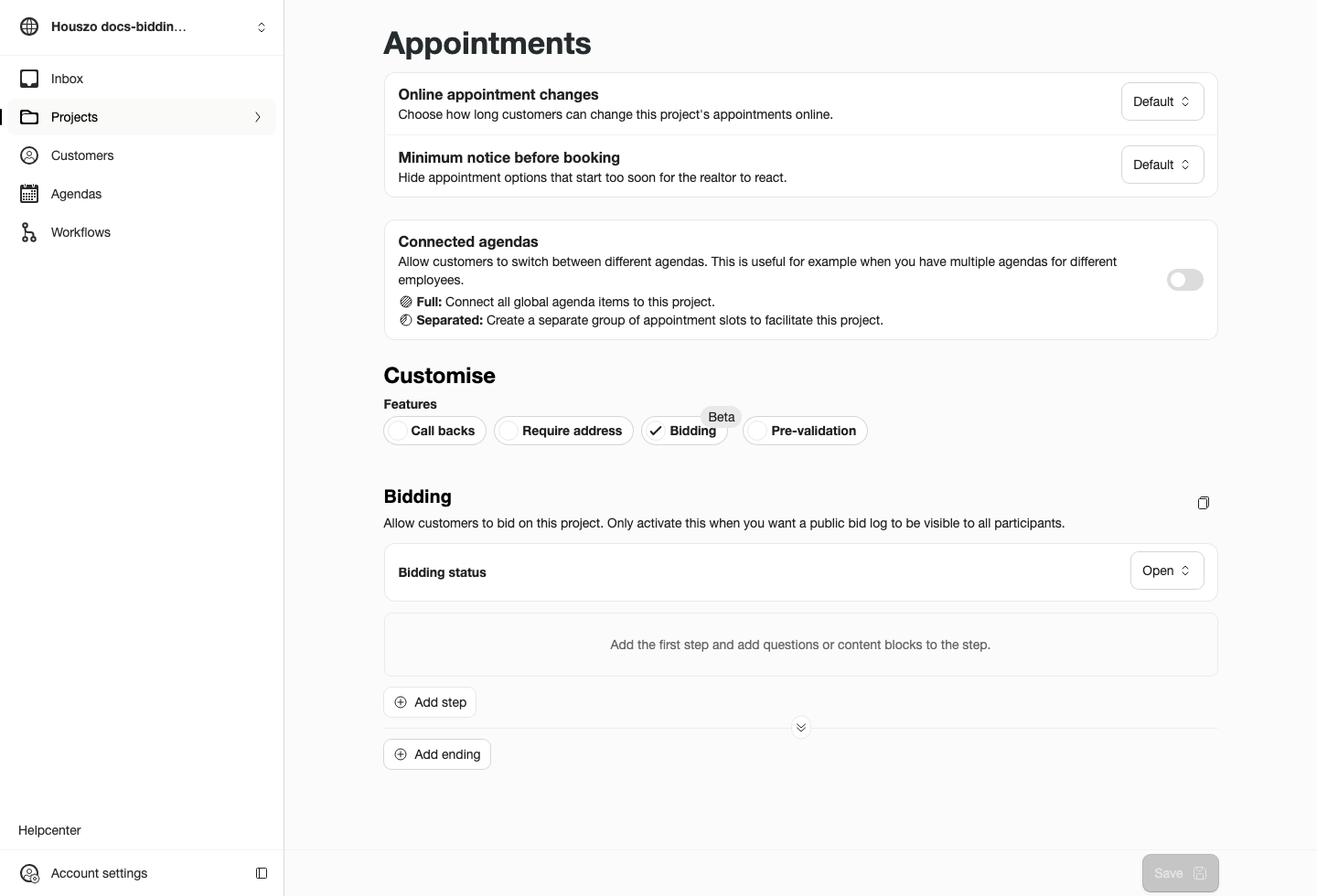
Project settings control whether the bid flow and public bid log are available.
If bidding is turned off, the bid button and bid log are hidden. Only activate bidding when the office is ready to receive and review customer offers.
Customer Bid Flow
The public bid form collects the standardized offer information Sparki needs to show and process bids correctly, including amount, customer address, expected delivery date, and conditions. Extra questions can be added with the same workflow question system used for pre-validation and other customer forms.
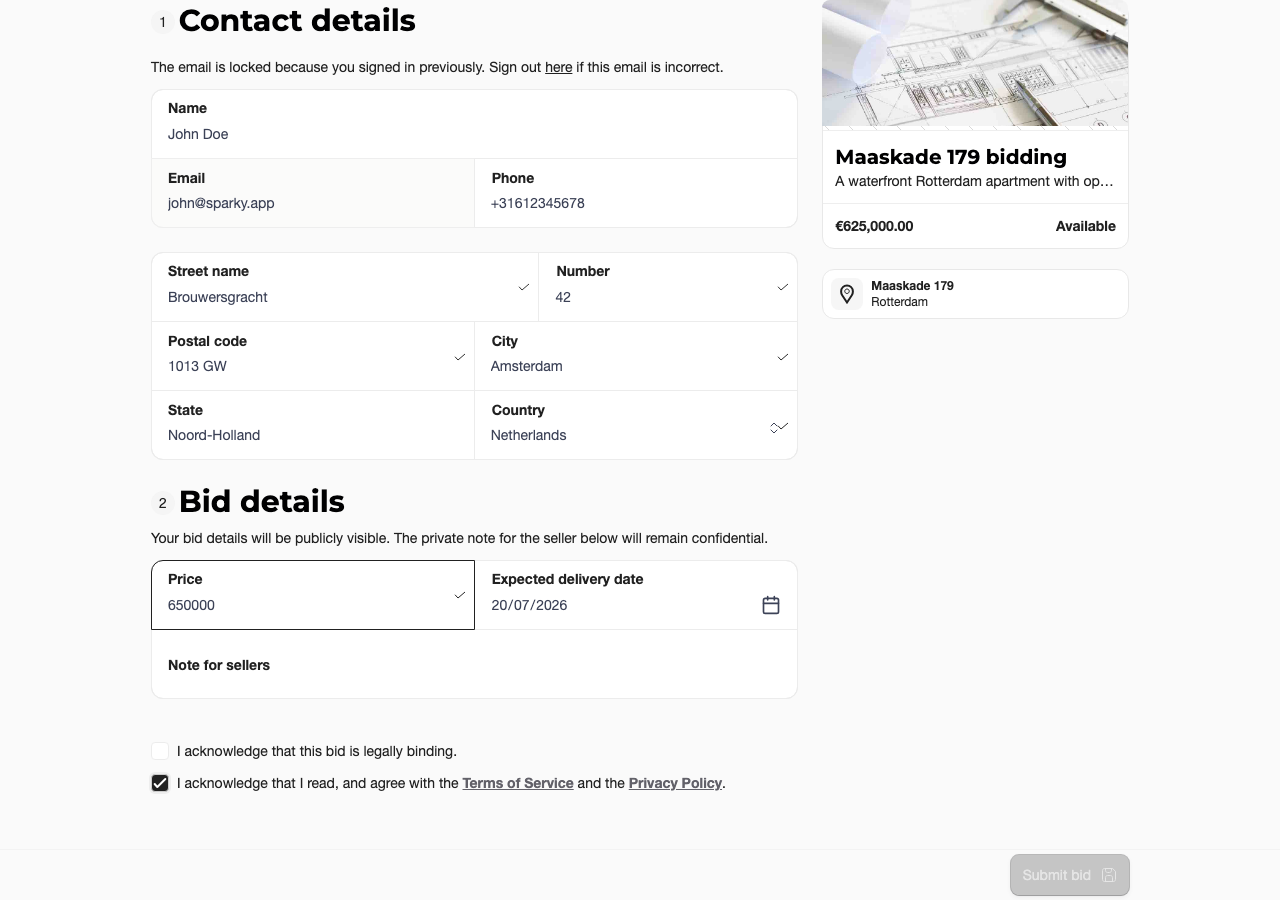
Customers submit the required bid details before the offer appears in the dashboard.
Signed-in customers can return to the portal to review and edit an existing open offer when the project still allows bid changes. The edited offer stays connected to the same customer timeline and project context.
Bidding Questions
Bidding has two layers. The required bid fields are standardized so Sparki can process offers and show the public bid log correctly. Extra bidding questions use the same builder items as workflows and pre-validation.
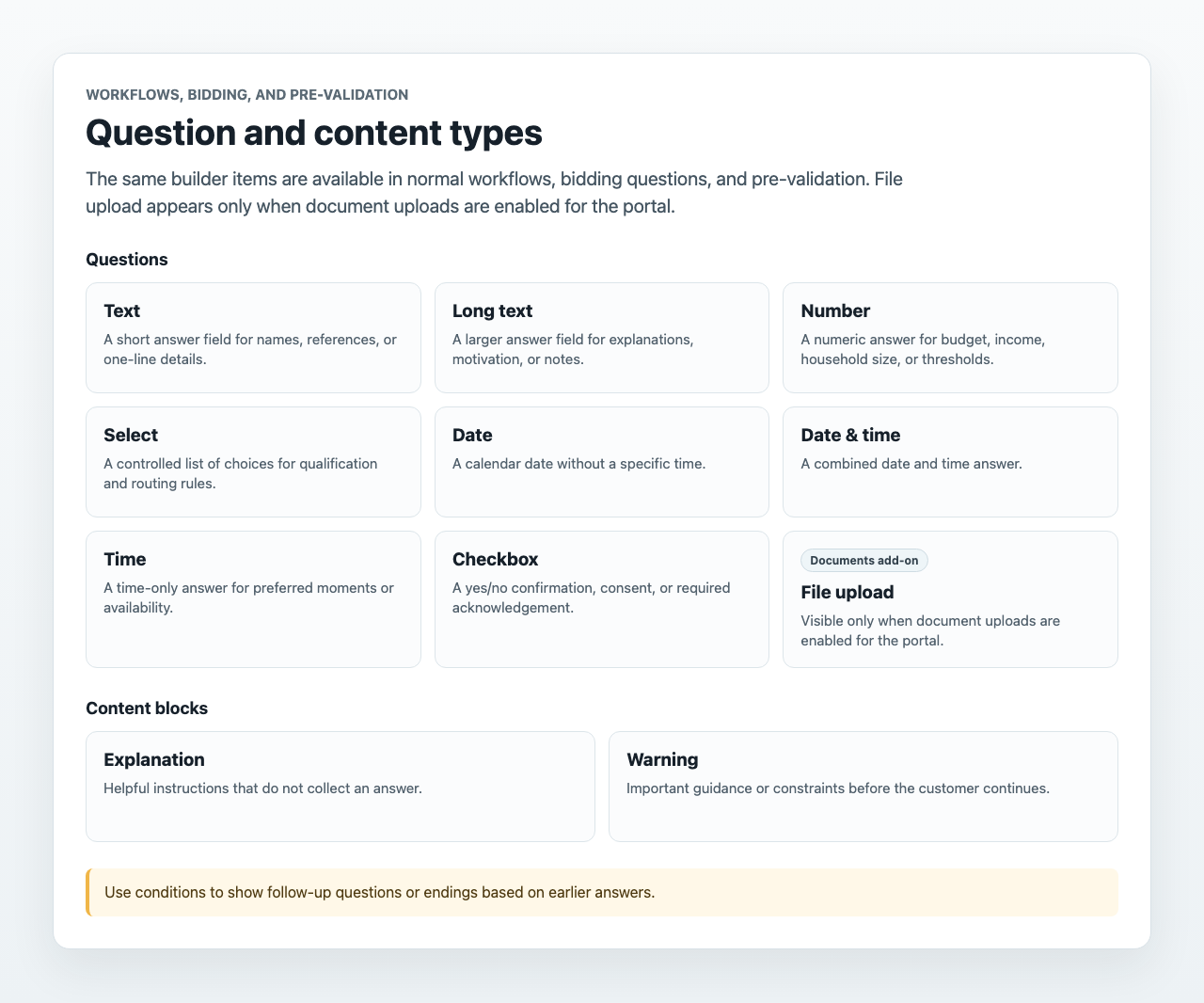
Available question types:
- Text for short answers.
- Long text for conditions, motivation, or extra explanations.
- Number for numeric checks or extra financial details.
- Select for controlled choices such as financing status or purchase conditions.
- Date for date-only answers.
- Date & time for a specific moment.
- Time for time-only preferences.
- Checkbox for confirmations or acknowledgements.
- File upload only when document uploads are enabled for the portal.
Available content blocks:
- Explanation for guidance before the customer answers.
- Warning for important constraints or process notes.
Bidding Endings
Bidding uses the standard workflow endings. If no configured ending matches, the fallback lets the customer continue with the normal bidding flow.
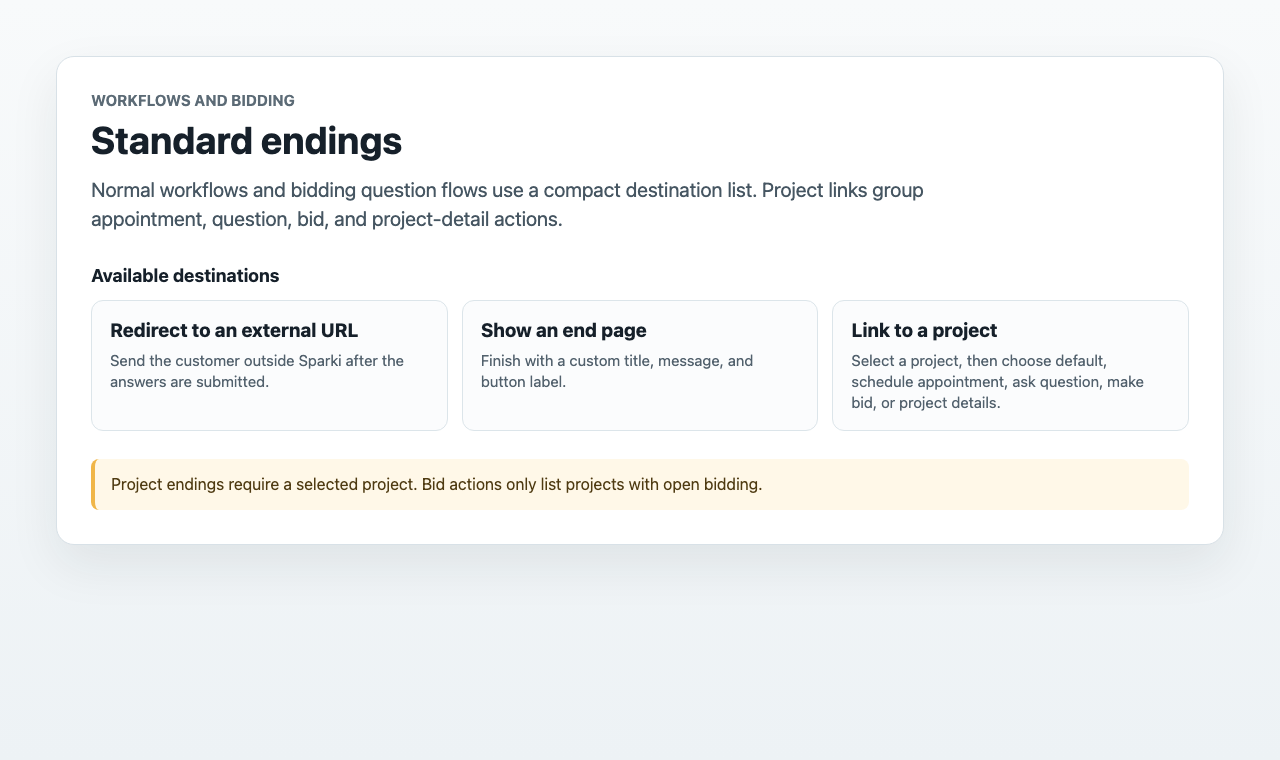
Available endings are Redirect to an external URL, Show an end page, Make an appointment, Request an appointment, Make a bid, and Ask a question. Appointment, request, bid, and question endings need a selected project. Bid endings only list projects with open bidding.
What to Review
Open the bid from Inbox or the customer timeline and confirm the project, offered amount, customer details, status, conditions, and any expiry information. If the bid is connected to a workflow or pre-validation step, review the submitted answers before responding.
 Project
Make sure the bid belongs to the correct listing and that the project is still active for offers.
 Conditions
Read any conditions or extra answers before the team treats the bid as complete.
 Customer
Use the customer timeline to see other related appointments, messages, documents, or workflow results.
Bid details and any related workflow answers stay linked to the bid interaction so the team can review the offer in context. Use the customer timeline when you also need appointment, message, document, or workflow history around the same customer.
For the customer-side portal area where offers are reviewed together with appointments, documents, and requests, use the Customer Portal guide.
Plan and Role Notes
Bid interactions are tied to project features and eligible portal setups. Members may need Edit projects to change bidding configuration, but normal portal access can still allow them to review visible interactions.