
Workflow Import and Export
Move workflow setups between portals, projects, and review environments.

Workflow I/O
Use import and export to reuse a proven workflow without rebuilding it by hand.
Export gives you a portable workflow file. Import creates a new editable draft that still needs a human review before customers use it.
When to Use It
Workflow import and export is useful when a team wants to reuse an intake, qualification, bidding, or document-collection process across portals, projects, or review environments.
Good use cases:
- Copy a working pre-validation flow to a similar project.
- Share a standard intake workflow with another portal.
- Review a workflow setup outside the builder before changing the live version.
- Keep a backup of a complex workflow before making larger edits.
Export
Open the workflow and use the export action when it is available for your plan and role. The export file should represent the workflow structure: title, description, steps, questions, content blocks, options, conditions, endings, and translations that belong to the workflow.
Export is a configuration snapshot, not a customer-data export. Customer answers stay in Inbox and customer timelines as Answer interactions.
Import
Import creates a new workflow draft from the exported file. Review the draft before publishing it:
- Check the title and description.
- Open every step and question.
- Confirm required fields, options, and conditions.
- Check every ending and project-related action.
- Review translations in the languages enabled for the portal.
- Save and test the customer flow from portal or plugin before sharing it.
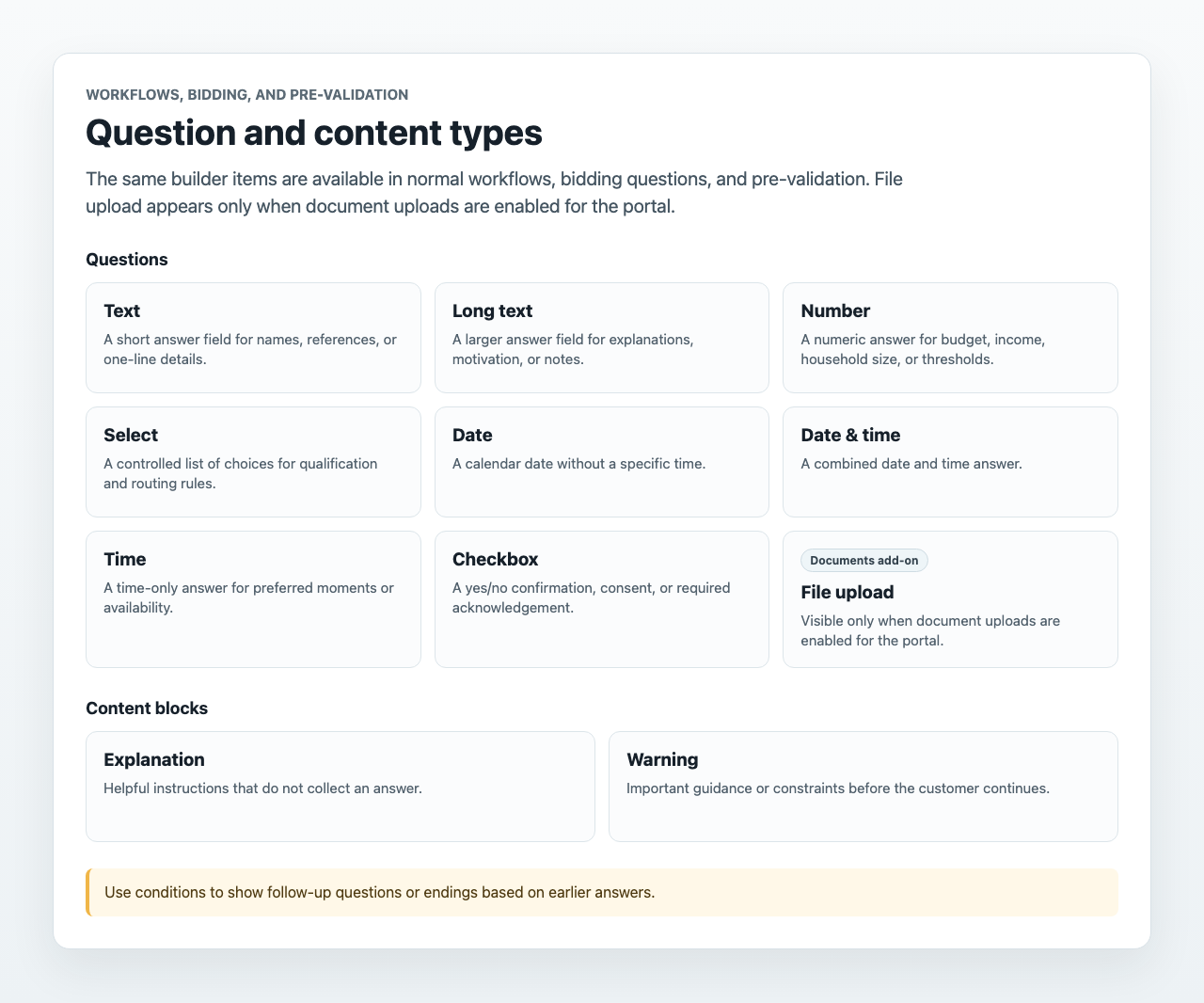
Imported workflows use the same builder blocks as normal workflows, bidding questions, and pre-validation questions.
Project-Specific Review
Project links and appointment endings need extra attention after import. A workflow file can describe the intended action, but the new portal or project may not have the same project, agenda, bidding setup, payment setup, or document-upload feature enabled.
If an imported ending points to a project action, select the correct project again and confirm the action is still valid. If the workflow belongs to pre-validation or bidding, test it from the project page where customers will actually use it.
Safety Checks
Treat import like copying a template, not publishing a finished production flow. A good import review checks:
- No required question is missing customer-facing text.
- Conditional questions still make sense with the imported options.
- Fallback endings are clear.
- Translations are present for the customer languages you expose.
- File upload questions are only used when document uploads are enabled for the portal.
- The imported workflow is inactive until someone confirms it is ready.
Plan and Role Notes
Workflow import and export are Pro and Custom capabilities. Members need workflow editing access to import, export, or publish workflow changes. For normal CSV exports of dashboard lists, see Data Export.