
Project
Turn listings and services into clear customer actions.

Configuration
Turn each listing or service into a clear next step for the customer.
Use projects to show the right details, collect the right action, and keep bookings, questions, bids, and pre-validation tied to the same place.
Where to Find Projects
Open Projects in the dashboard. To create a project, choose the new-project action. To edit an existing project, open it and use the project settings.
After a project is created, it still needs to be placed where customers can find it. Most teams add the project to Content and connect an agenda so customers can book a time.
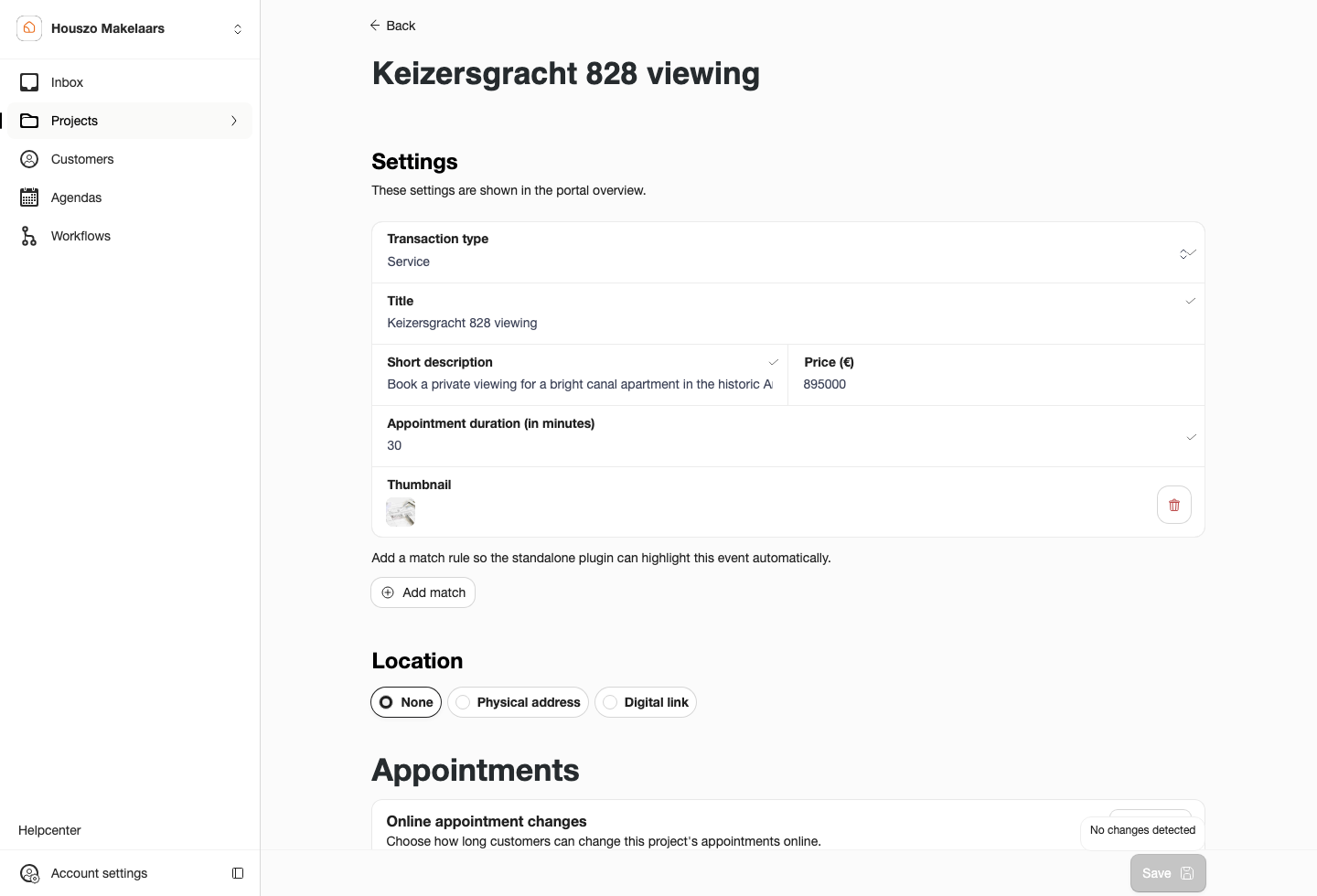
Project settings hold the details customers read and the connected agenda they can book.
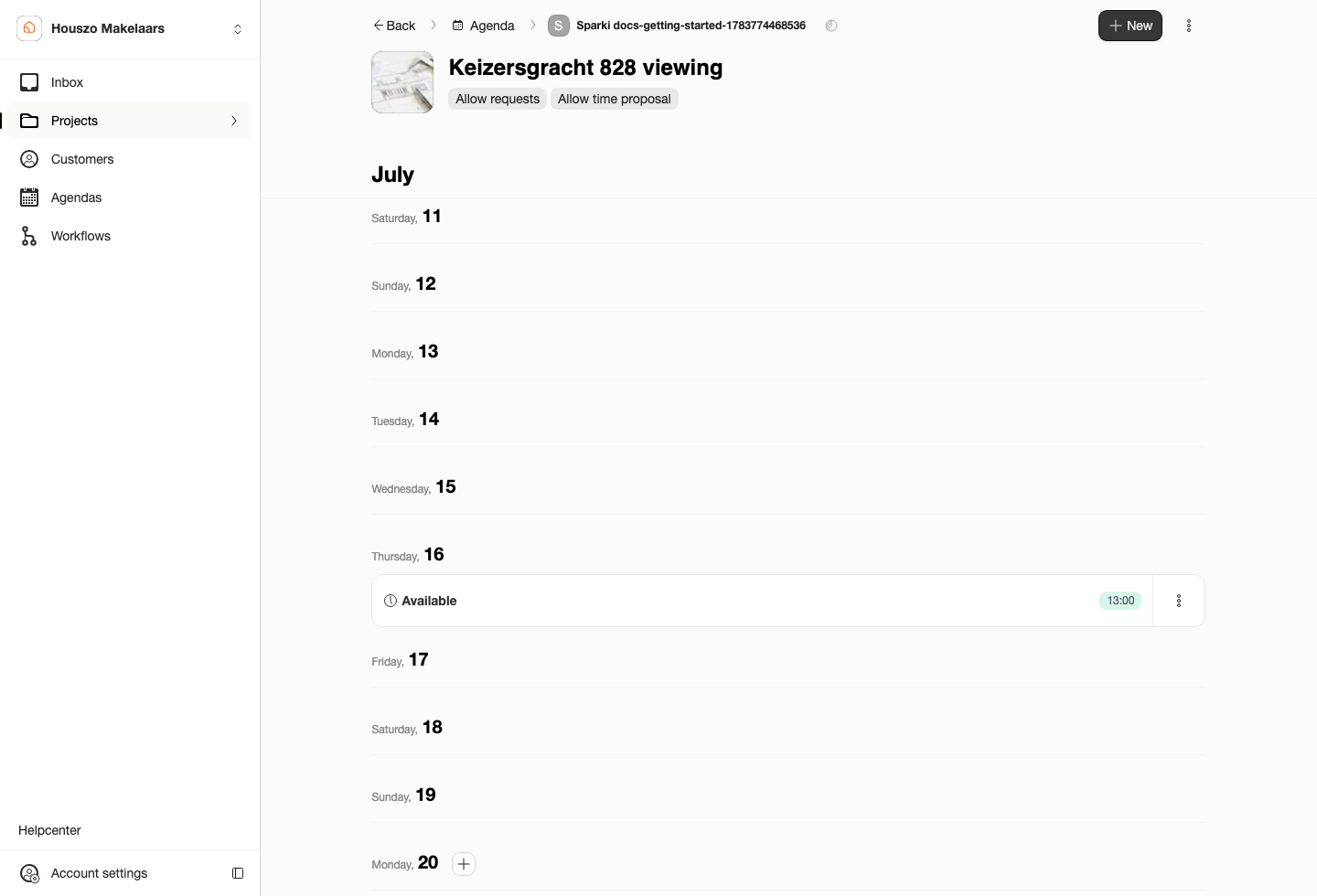
The project page brings listing details and availability together, so the team can check whether customers will see useful times before sharing the project.
Import a CRM Object
When your CRM add-on is connected, start a new project and choose Connect. Search for the listing from the connected CRM source, select it, then check the imported project before saving.
Most property information stays in the CRM first: photos, thumbnail, descriptions, building details, energy labels, address details, and other object data. Sparki copies the selected object data into the project so you can publish, book, collect bids, or run workflows around it.
CRM object data pre-fills the Sparki project, but the project should still be checked before it is shared.
If an object does not appear, use the CRM Sync action first. Sync fetches the latest CRM objects into Sparki so they can be selected during project setup. Imported fields are copied into the project; they do not automatically update every time the CRM object changes later. If CRM data exists but is missing or mapped incorrectly in Sparki, contact support so the mapping can be fixed centrally instead of repaired one project at a time.
Configure the Customer Action
 Appointment
Fill the calendar with less back-and-forth. Customers pick an available time and the team keeps control of the agenda.
 Question
Keep early interest moving. Customers can ask a question before committing to a viewing or service appointment.
 Bid
BidCollect offers cleanly. Open a guided bid flow when the sale process is ready for customer bids.
A project can represent a property for sale, a rental listing, a service appointment, a valuation, intake, or another customer-facing offer. Add a clear title, description, price or service information, address or location details, images, floor plans, amenities, and a strong thumbnail where relevant.
Connect the Agenda
Projects can use a Shared agenda or a Separated project-specific agenda. Shared agendas are easiest when one calendar can serve several projects. Separated agendas are useful when a project needs its own availability that should not be mixed with the main agenda.
For a deeper explanation of Shared agendas, Separated agendas, project markers, and schedule transfer actions, use the Agenda guide.
If your office uses a CRM add-on and the feature is enabled for your portal, projects can be linked to synced CRM data. CRM availability is a Pro or Custom feature and may need to be requested or enabled before it appears.
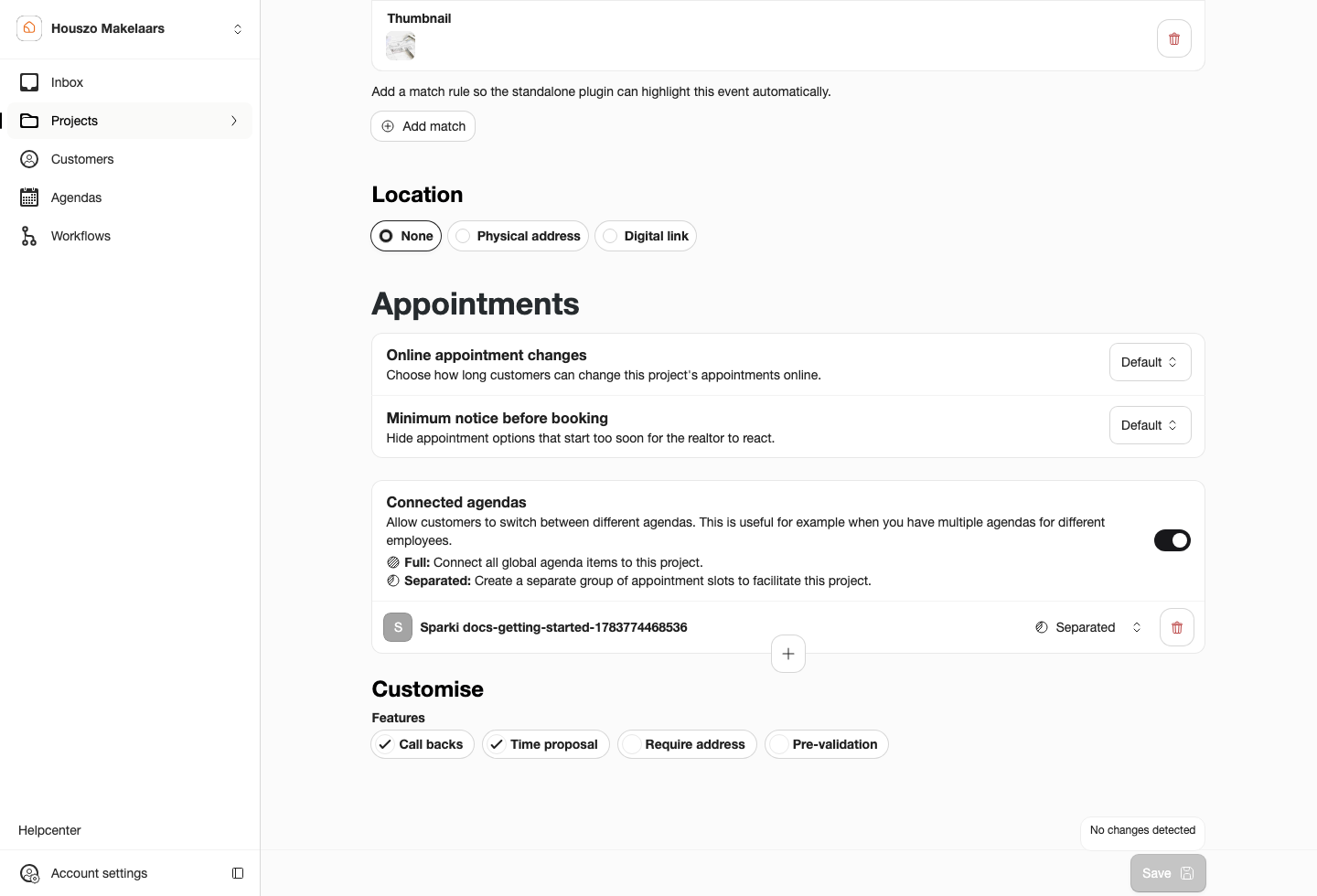
Connected agendas explain whether the project uses shared availability or its own project-specific schedule.
Publish the Project
There are several ways to make a project available to customers:
- Add it to Portal Content so it appears in the portal or plugin menu.
- Add a website match rule in project settings so the plugin can show the project action on matching website pages.
- Connect an in-page website button to the plugin when your website has a dedicated call to action.
- Share the project link directly, for example from Funda, an email, or another campaign.
If a project should not be visible yet, leave it out of portal content, do not add a website match rule, and do not share the direct project link.
Project Features
Some customer features are enabled per project:
- Appointment scheduling reduces planning work by letting customers choose from the slots you make available.
- Appointment requests keep interest alive when the shown times do not fit, or when the team wants to approve visits first.
- Open bidding gives customers a guided way to place offers from the portal or plugin.
- Public bid log adds transparency with anonymized bid information when the project is configured for it.
Project settings show feature tiles for optional flows. Enable Bidding from the feature list before configuring bidding status and bidding questions. Enable Pre-validation from the feature list before adding the questions customers must answer before booking. These sections are hidden again when the feature is turned off, so the project page stays focused on the flows that are actually active.
Pre-validation uses the workflow builder behind the scenes; see the Workflow guide for the question types and pre-validation endings. Bidding and pre-validation questions can also be copied from another project, then saved as a project-specific workflow.
If bidding is turned off, the bid action and bid log are hidden from customers. If a project is only being prepared internally, keep it out of the customer entry points until the team has checked the content, agenda, and actions.
Before Sharing
Create the project, add the important customer-facing details, connect at least one agenda, decide whether customers should book directly or request contact, then preview the flow through the portal or plugin before sharing it publicly.
Plan and Role Notes
The Free plan allows one active project. Pro and Custom plans allow unlimited projects. Members need Edit projects to create or update projects.