
Workflow
Guide customers through questions, checks, and next steps.

Configuration
Ask the right questions once, then send customers to the right next step.
Use workflows to qualify interest, collect intake details, prepare bids, request documents, and route customers without manual sorting.
Build the Flow
Open Workflows in the dashboard. A workflow starts with a name, description, active state, and translation text. Inside the builder, a workflow is made from steps and elements.
Steps, questions, content blocks, and endings are shown as collapsible tiles. Existing saved items open collapsed so long flows stay readable. Newly added items and items that still need required text open automatically so you can finish the setup. Click the tile header to open or close it; the header shows the item number, type, required marker, and the label in the active editing language.
 Questions
Collect the details your team needs up front, from short answers to files and confirmations.
ConditionsShow the right follow-up only when it applies, so customers do not wade through irrelevant questions.
 Endings
Finish with a clear action: book, request, bid, ask a question, open content, or stop when the fit is not right.
The same flexible question system is used for workflows, bidding, and pre-validation. The available question list is the same in all three places. File upload is the exception: it only appears when document uploads are enabled for the portal. Add translations for the languages your customers use before publishing a public flow.
Question and Content Types
Use questions to collect customer input and content blocks to explain what the customer should do next.
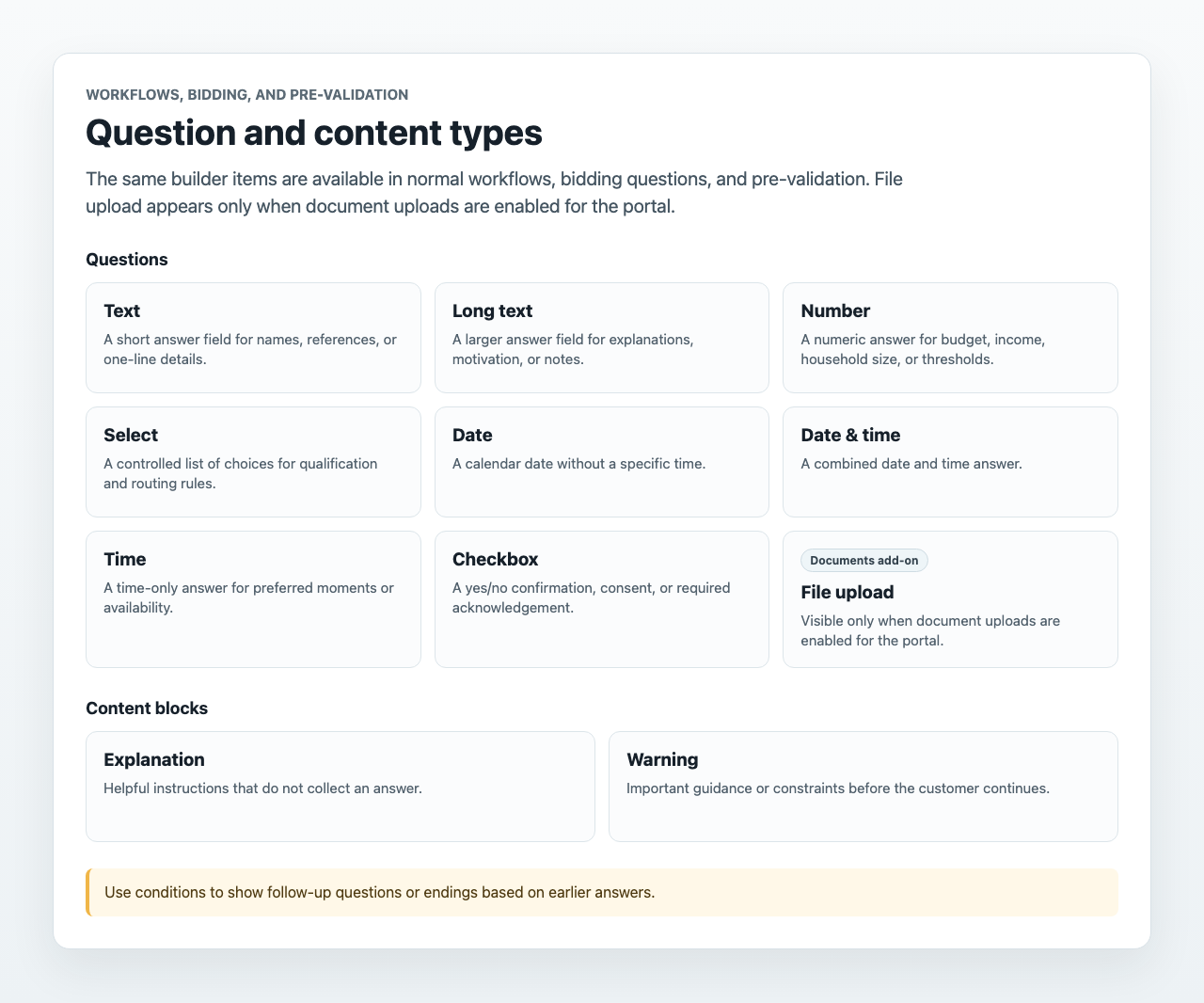
The same question and content list is used for normal workflows, bidding questions, and pre-validation questions.
Questions that collect answers:
- Text for short one-line answers.
- Long text for explanations, notes, or motivation.
- Number for budgets, income, household size, or thresholds.
- Select for controlled choices that can drive conditions and endings.
- Date for a calendar date.
- Date & time for a specific moment.
- Time for time-only preferences.
- Checkbox for confirmations, consent, or yes/no acknowledgements.
- File upload for documents, only when document uploads are enabled in the portal settings.
Content blocks that do not collect answers:
- Explanation for extra instructions.
- Warning for important constraints or notices.
Forms can include required questions, optional questions, conditional follow-up questions, document uploads, and conditional endings. This makes workflows useful for intake, qualification, document collection, bidding preparation, and administrative processes.
Conditional Logic
Conditions can check whether an answer equals a value, does not equal a value, contains a value, is greater than or less than a number, is empty, or is not empty. Several conditions can be combined as all conditions must match or at least one condition must match.
Endings and Navigation
Endings decide what happens after a customer submits the answers. Depending on the workflow type and project setup, an ending can send the customer to a project action, external URL, or end page message. Fallback endings are useful in standalone workflows when no other rule matches.
Ending names are generated automatically from the ending number, action, and most important detail. For example, Sparki can show labels such as Ending 1 - Continue to booking, Ending 2 - Redirect to https://example.com, or Fallback - Show an end page "Thanks". You do not need to name endings manually.
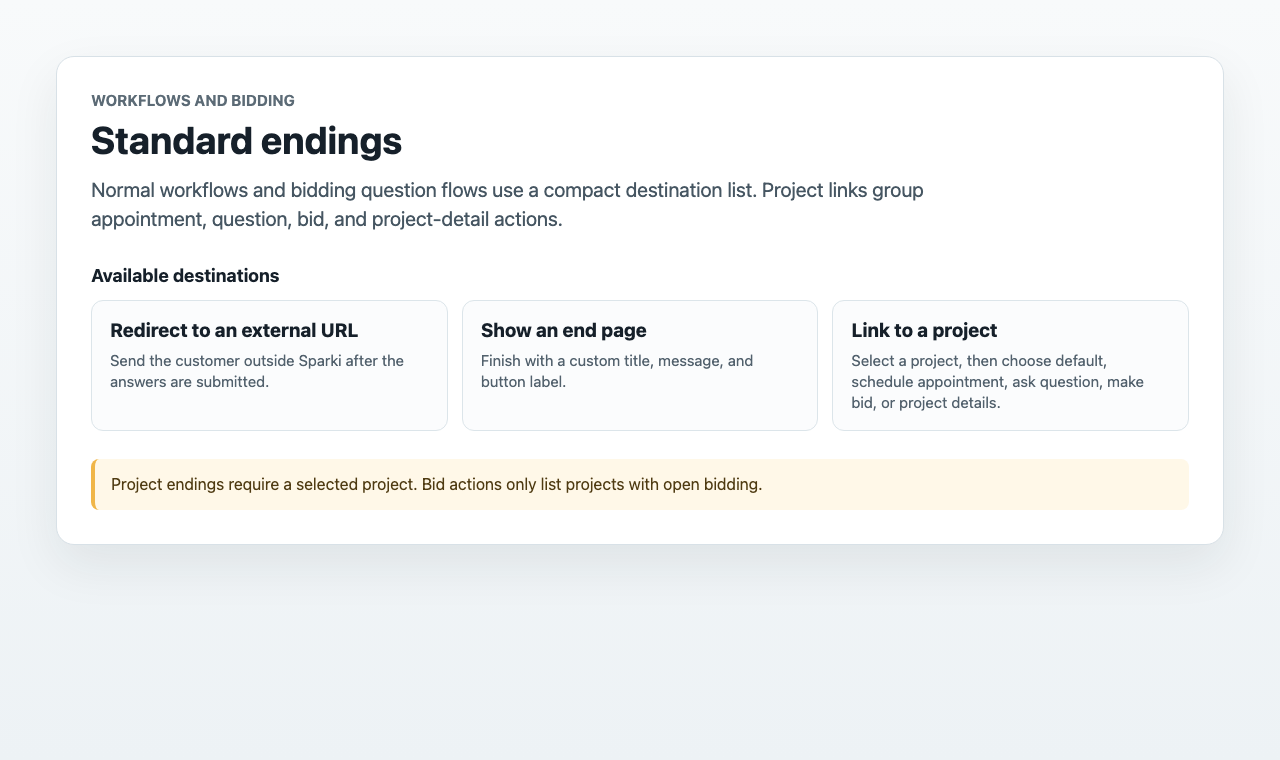
Normal workflows and bidding question flows can use these standard endings:
- Redirect to an external URL sends the customer outside Sparki.
- Show an end page shows a custom title, message, and button label.
- Link to a project sends the customer to a selected project. After selecting the project, choose whether the link should use the project's default action, schedule an appointment, ask a question, make a bid, or open project details.
Project endings need a selected project. Bid actions only show projects with open bidding.
Use endings to filter visitors, route customers to the right next step, or stop a customer from continuing when the answers do not meet your requirements.
Where Workflows Are Used
Workflows can be published as portal content. They can also be connected to projects, bidding flows, or pre-validation before customers reach appointment booking.
When a customer completes a workflow, Sparki stores the answers and matching ending as an Answer interaction. Review those results from Inbox or the customer timeline.
Workflow results, bidding data, and pre-validation answers are linked to the related appointment or interaction flow when they are part of that flow. This keeps the submitted answers close to the action the customer was trying to complete.
Pre-Validation Before Viewings
Use pre-validation when a customer should answer qualifying questions before booking a viewing or open-house appointment. The project still owns the appointment agenda, but the customer must complete the workflow first.
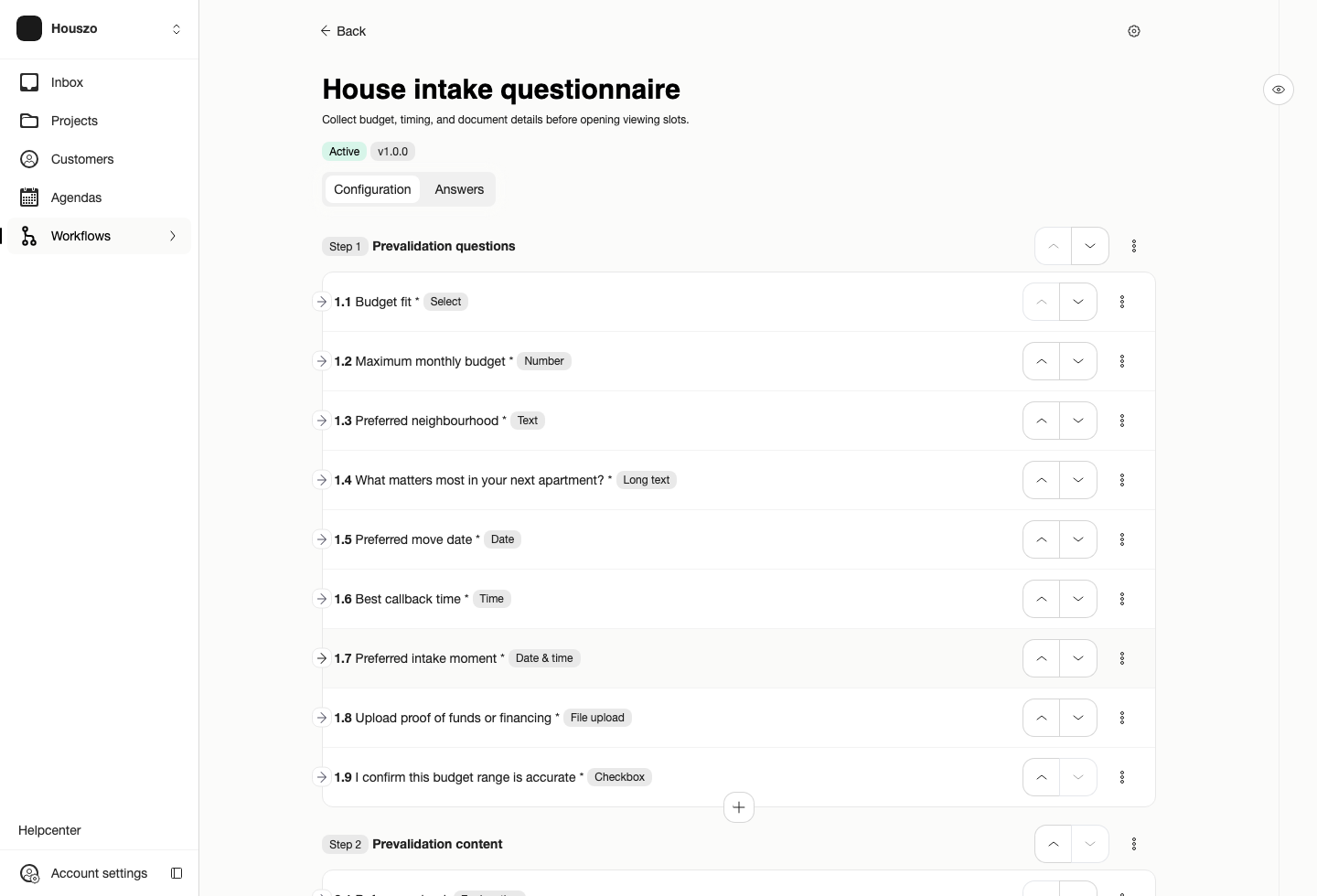
A pre-validation workflow combines the questions customers answer with endings that decide whether they can book, should send a request, or should stop.
To set this up, create the project and connect its agenda first. Then open the project settings, enable the Pre-validation feature, add the questions, and configure the endings.
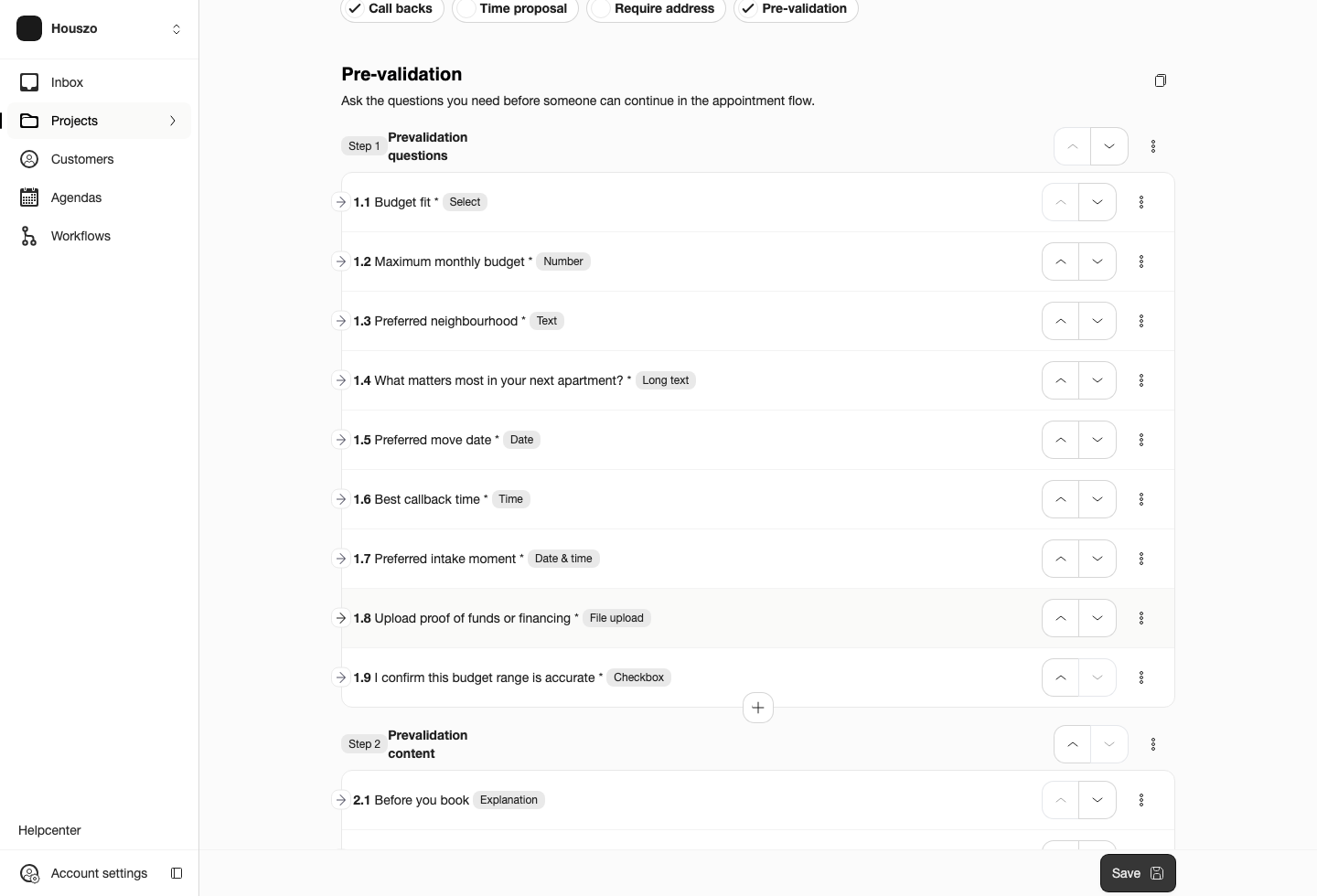
Project settings are where the pre-validation flow is attached to the viewing project.
Pre-validation uses the same question and content types as other workflows. Use questions such as selected qualification status, household size, budget, preferred date, uploaded documents, or a confirmation checkbox. File upload is available only when document uploads are enabled for the portal.
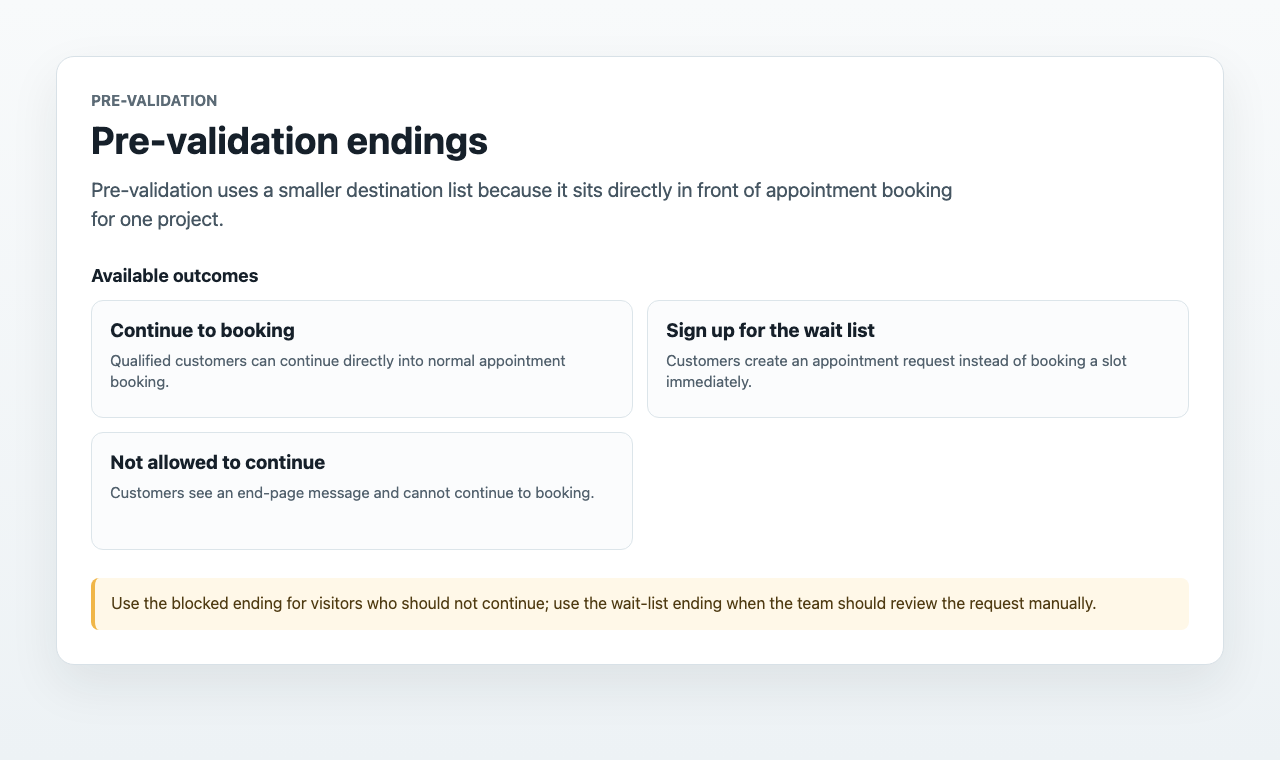
Pre-validation endings are more limited because pre-validation sits directly before appointment booking:
- Continue to booking lets qualified customers continue to normal booking.
- Sign up for the wait list creates an appointment request instead of direct booking.
- Not allowed to continue shows a message and blocks the customer from booking.
In project settings, the fallback path is not shown as a separate editable ending. If no configured pre-validation ending matches, the customer simply continues with the normal booking or request flow. Payment endings can appear for payment-capable service flows, but they are not shown for real-estate viewing projects.
On the customer side, Sparki adds the pre-validation questions to the booking flow before the appointment can be submitted. Only a matching appointment ending lets the customer finish the normal booking step.
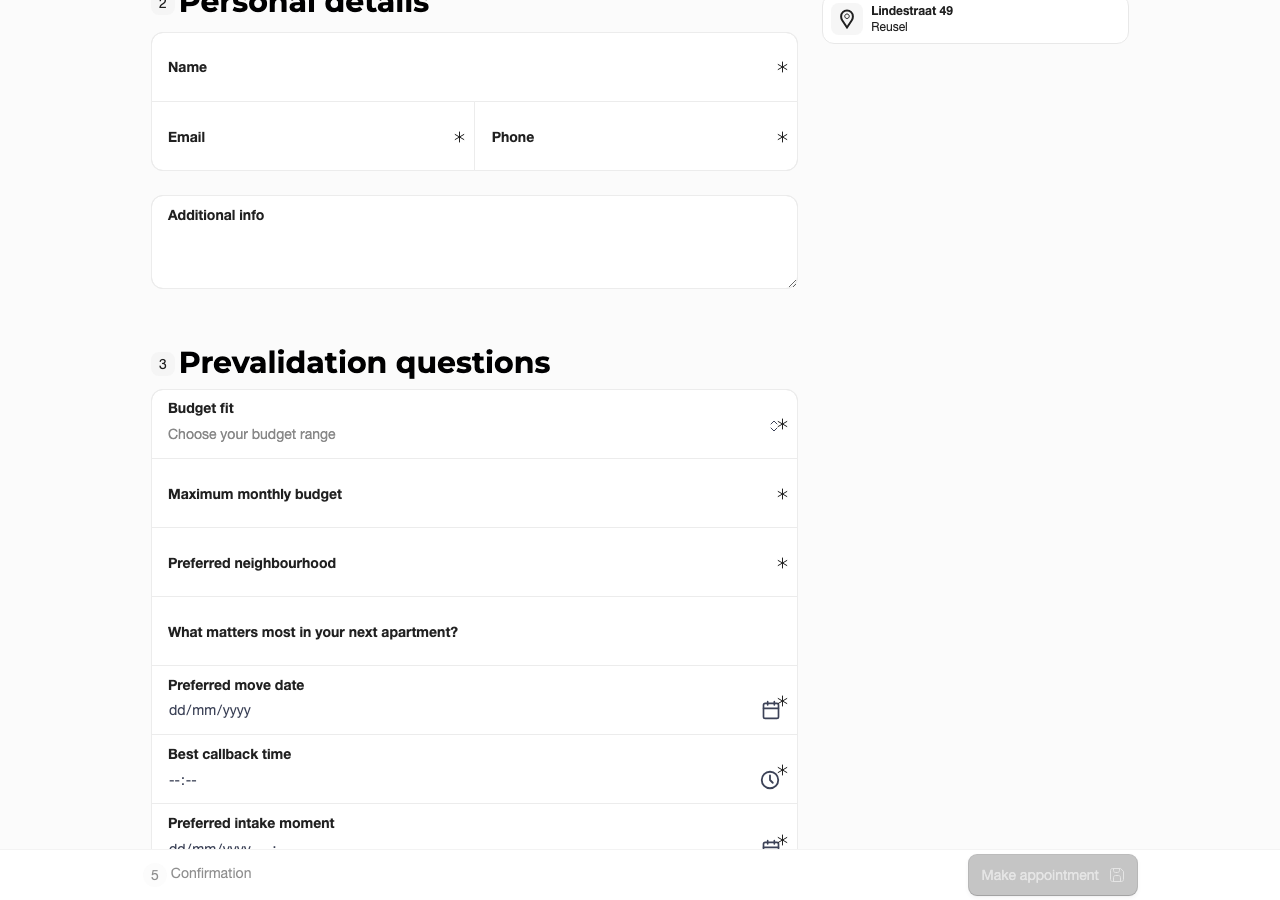
Customers complete the pre-validation questions before they can confirm the appointment.
You can copy bidding questions or pre-validation questions from another project when a similar project already has the right setup. After copying, save the project so Sparki creates its own workflow for that project. Copied items keep their labels and translations, but endings will use the generated label format after saving.
For reusable workflows across portals, projects, or review environments, use Workflow Import and Export and review the imported draft before customers use it.
Plan and Role Notes
Workflows are available on Pro and Custom portals. Members need Edit workflows to create or change workflows.