
Request
Understand appointment requests, waiting-list entries, document requests, invitations, and deletion requests.

Interaction type
Requests are customer or team actions that need a next step before the process is finished.
The most common request is an appointment request: a customer wants to visit, call, or meet, but the team still needs to confirm the exact follow-up.
Requests appear in Inbox, on the customer timeline, and in project appointment areas when they belong to a project. A request can come from the portal, the plugin, a workflow ending, or the dashboard when a team member starts a follow-up flow.
For appointment requests, the customer starts in the normal appointment form. After they select a date and see the time options, they can use the Request a visit link beneath the time choices when none of the shown times work.
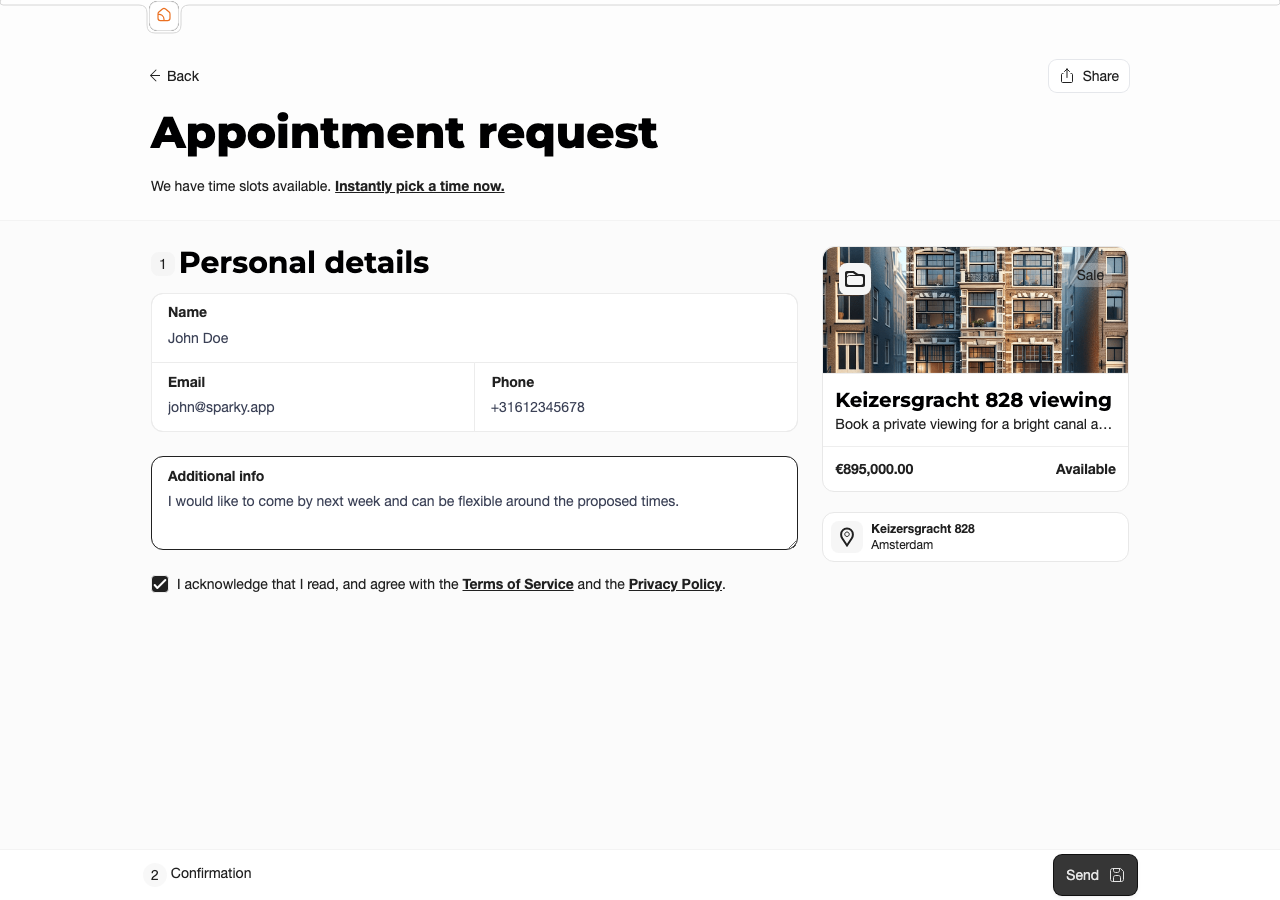
The plugin uses the same request path inside the embedded dialog, so customers can request a visit without leaving the realtor website.
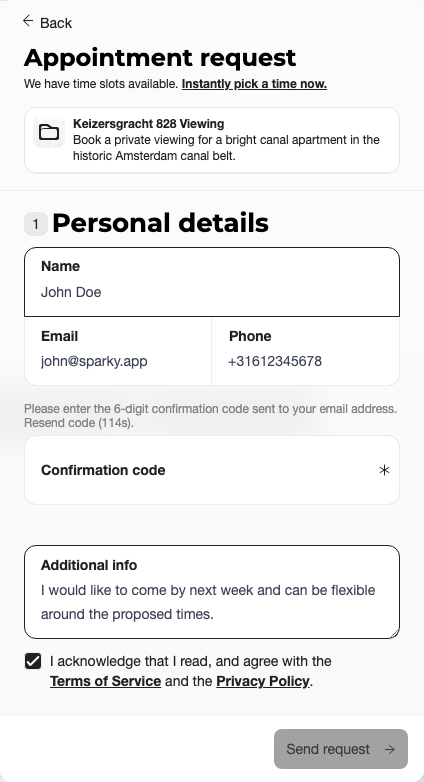
After submission, the request appears in Inbox, on the customer timeline, and in the project appointment area.
Request Types
 Want to visit
A customer requests an appointment for a project or event type. These open requests form the waiting list for that project.
 Invite to make appointment
The team invites a waiting-list customer to pick an appointment. Sending the invite completes the original waiting-list request.
 Document
The team asks the customer for a document. The request can include context so the customer understands what to upload.
 Delete customer
A customer requests data deletion from the customer-facing account area.
Appointment Request Flows
Direct bookingIf the event type allows direct booking and available times exist, the customer chooses a date and time and creates an appointment.
Request insteadIf callbacks are enabled, the customer can choose a request path when none of the shown times work, or when no appointment options are available.
 Workflow route
A workflow can route the customer to a normal appointment, force an appointment request, or allow a message outcome to continue as a request when callbacks are enabled.
Waiting listAn open "want to visit" request appears on the project waiting list. The team can send an invite, which creates an appointment invitation request for the customer.
Time Proposals
When Time proposal is enabled for an event type, appointment requests can include moments that work for the customer. The customer can add one or more proposed dates with a start and end time. In the dashboard, those proposals are shown on the request details while the request is still open.
Time proposals depend on callbacks: the event type must allow appointment requests before time proposals can be enabled.
What to Check
 Project or event type
Confirm which listing, service, or appointment type the request belongs to.
Agenda or scheduleCheck whether the customer selected a specific agenda or whether the request came from all available agendas.
 Customer note
Read the attached message, workflow answers, and any preferred times before replying.
DocumentsIf the request is a document request, check the requested context and the uploaded files.
Request Statuses
Requests can be open, waiting on response, completed, or cancelled. Completing an open request usually moves it to waiting on response, while an appointment invitation is completed when the customer receives or acts on the invite. Customers can close appointment-related requests from customer-facing areas when that request type is closable.
Customer Notifications and Timeline
When the office sends a request, workflow, message, or document request, the customer can receive an automatic email that guides them directly to the requested action or to the Customer Portal. Customers and realtors see the same interaction history, so the timeline stays useful as a shared record of what was asked, sent, uploaded, and completed.
Timeline interactions are not meant to be erased as a normal workflow step. Uploaded document files can be deleted or removed by retention rules, but the interaction history remains visible so the office can understand what happened.
Plan and Role Notes
Members need portal access to review visible request interactions. Callbacks and time proposals are configured on the event type or project appointment settings, and time proposals are a paid-plan feature.