
Document
Review project documents, customer uploads, document requests, statuses, and privacy rules.

Interaction type
Document interactions appear when files are uploaded, shared, or requested as part of the customer process.
Customers only see documents that belong to them or that your team intentionally exposes through a project or customer flow.
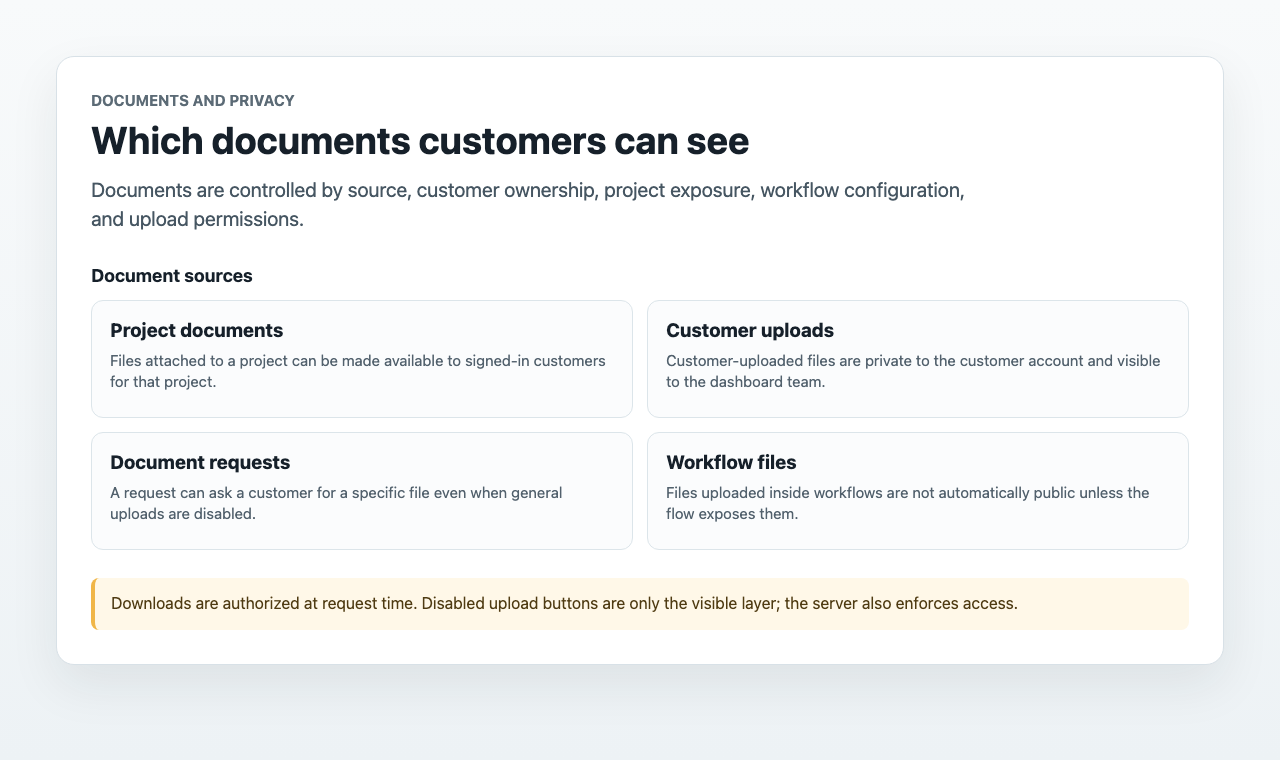
Document Sources
 Project documents
Files uploaded to a project, such as brochures or floor plans, can be made available to signed-in customers for that project.
Customer uploadsFiles uploaded by a customer appear in the customer timeline and document overview for the dashboard team.
 Document requests
The team can request a specific document. The customer can respond from the portal even when general uploads are disabled.
 Workflow files
Workflow-uploaded files are collected for the dashboard team and are not automatically public to the customer.
Document Request Flow
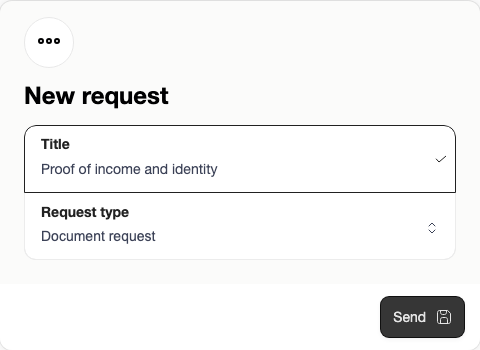
Use a document request when your team needs a specific file from one customer, such as proof of income, identification, a signed form, or a missing buyer document. Open the customer in the dashboard, go to Requests, choose New, keep Document request selected, and write a clear title for the file you need.
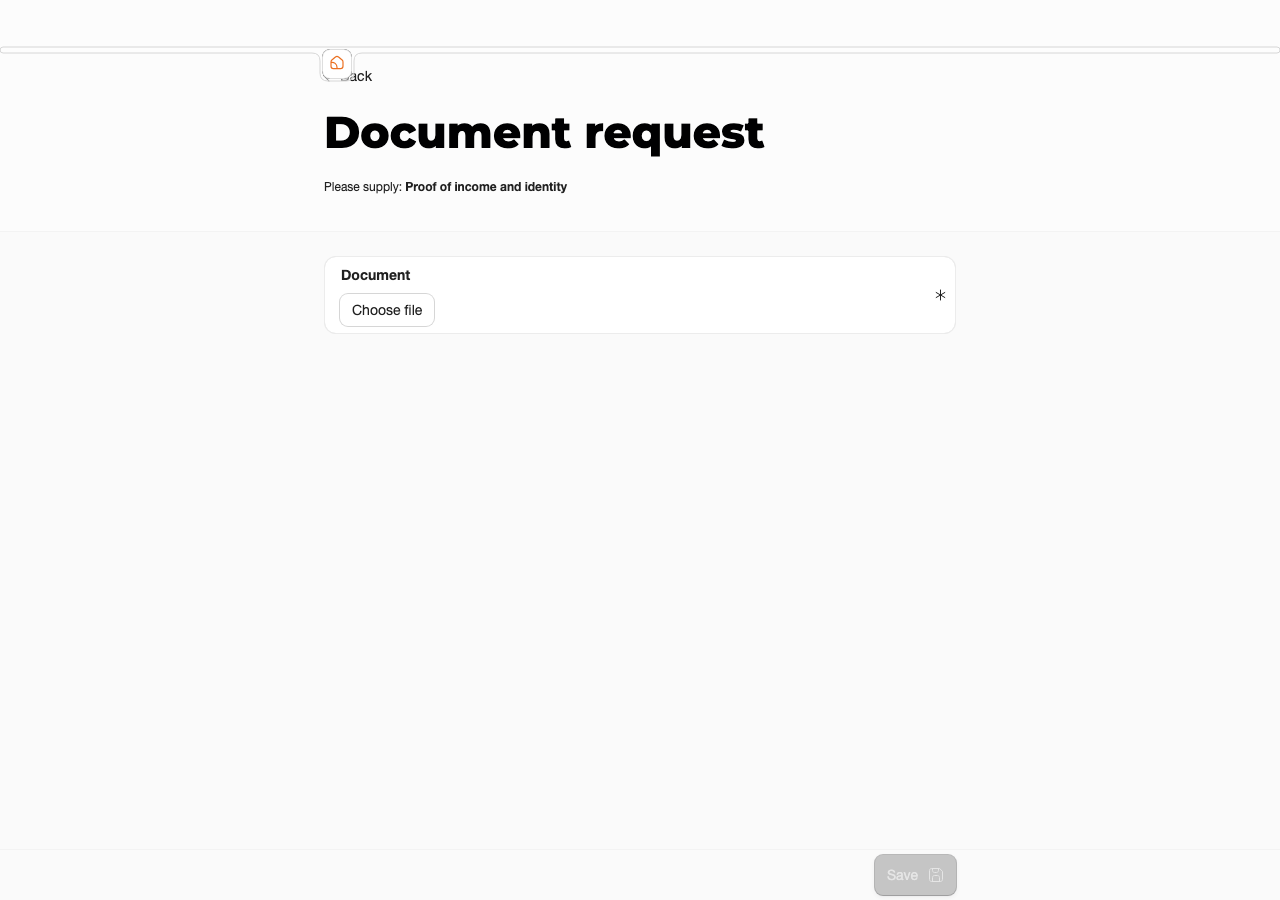
The customer opens the request from the portal or from the request email. The portal shows the requested context and a single document upload field, so the customer knows exactly which file to provide.
After the upload, the document is attached to the customer and appears in the dashboard document area. The team can review, download, accept, reject, or delete it according to the office process.
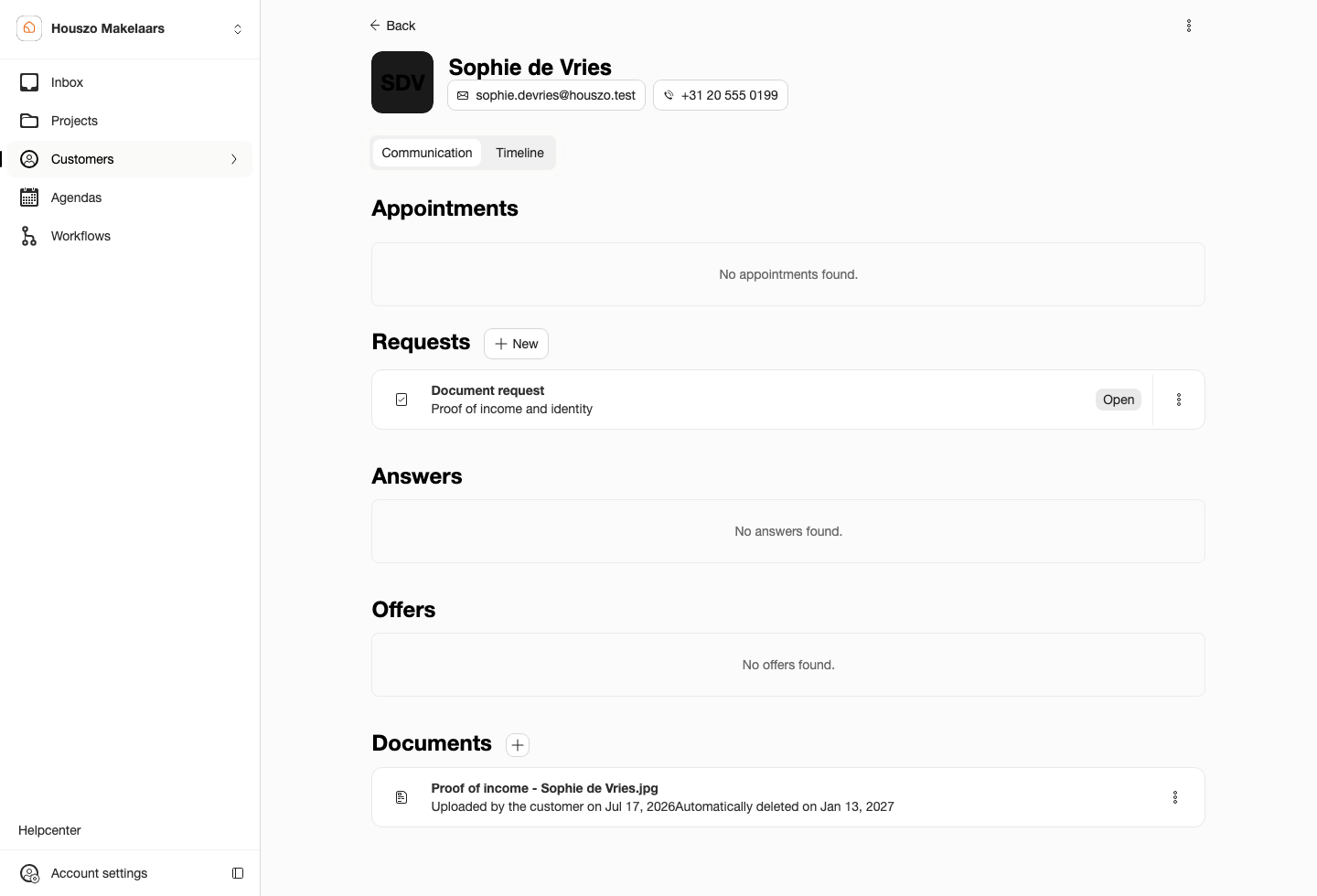
Status and Review
Customer-uploaded documents can show statuses such as new, accepted, or rejected. Review uploaded files from Inbox, the customer timeline, or the document overview. Where available, use the accept, reject, delete, open, or download action from the document area.
Good Practice
Ask for documents only when the customer understands why they are needed. Keep workflow labels and content item descriptions specific, and check that the follow-up owner knows where the uploaded files will appear.
Upload Limits and File Types
Customer uploads, document requests, and workflow file-upload questions accept files up to 2.5 MB. Project documents attached to a project accept files up to 10 MB, with a maximum of 25 project documents per project.
Supported document file types are PDF, JPG/JPEG, PNG, DOC/DOCX, XLS/XLSX, PPT/PPTX, ZIP, and RAR.
Portal and project media use separate media upload controls. Dashboard forms limit logos to 1 MB and most project images, content images, floor plans, videos, and thumbnails to 2.5 MB. Supported media types include JPG/JPEG, PNG, GIF, SVG, WEBP, MP4, and MOV.
Privacy, Retention, and Storage
Sparki authorizes document downloads at the time the file is requested. Private documents should use temporary access instead of permanent public links. Disabled upload buttons are only the visible layer; upload permission is also enforced by the server.
Files uploaded by customers are untrusted. Sparki stores, authorizes, and provides download links for uploaded files, but does not scan them for malware or active content before your team opens them. Downloaded customer files should be scanned with your office antivirus or security tooling before opening or forwarding.
Uploaded documents are not permanent archive storage. They can be downloaded by the office and, where available, by the customer, but Sparki removes uploaded files after the configured retention period. The maximum retention period is 180 days, and removed documents are not recoverable from Sparki.
If an office needs long-term copies for legal, mortgage, rental, or internal archive reasons, download the files and store them in the office's own secured system before the retention period ends.
Document features are available on eligible paid plans. If document upload is not enabled for a portal, document upload questions and document interactions may not appear.